Review AI Output
After you create a report and upload documents, Karomia AI automatically generates answers for as many data points as possible. Once processing is complete, you'll receive a notification. The goal of this review phase is to improve the initial AI output before doing any manual editing — so you maximize automation in the second AI run.
Navigating your report
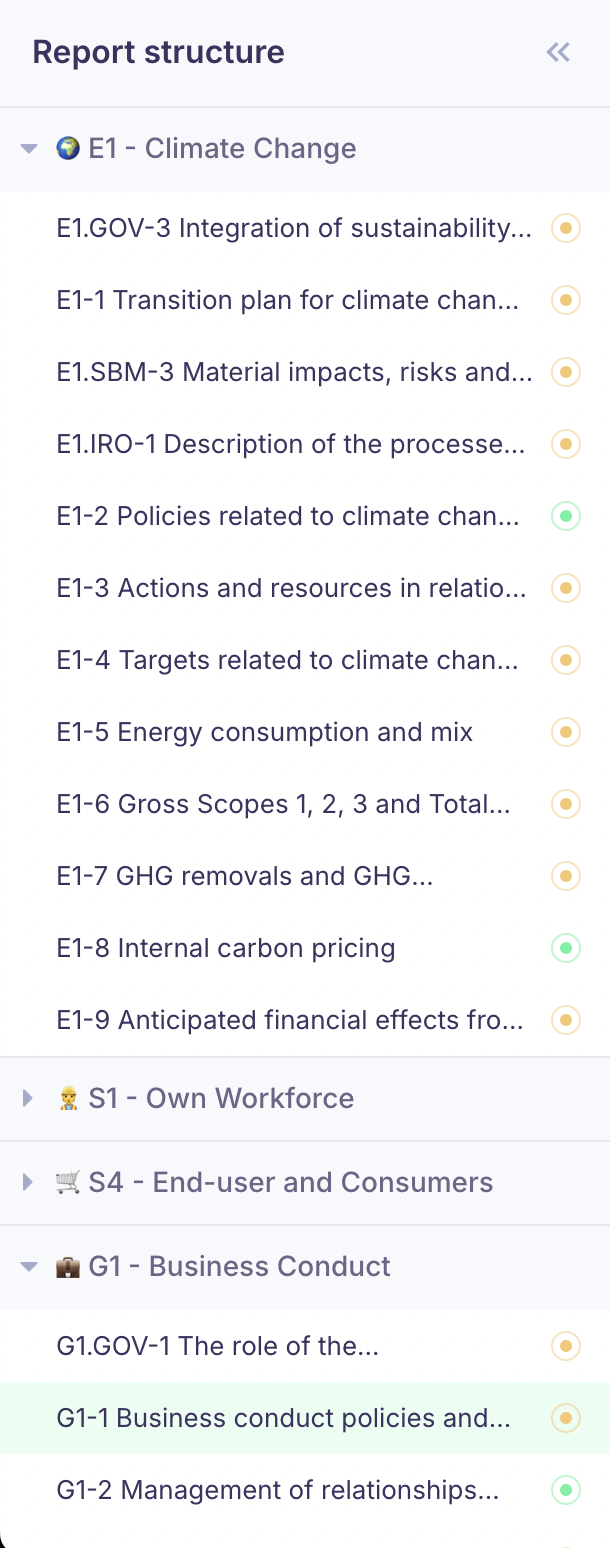
Open a report and use the left-hand navigation to browse your report structure, organized into two levels:
- Topics — ESRS 2 General Disclosures, E-topics (E1–E5), S-topics (S1–S4), G1. Only topics in your scope are shown.
- Disclosure Requirements — The thematic breakdown within each topic (e.g., G1-2 Management of relationships with suppliers).
Each disclosure requirement contains one or more data points on a single scrollable page. You can collapse the navigation menu to give yourself more space.
Data point types
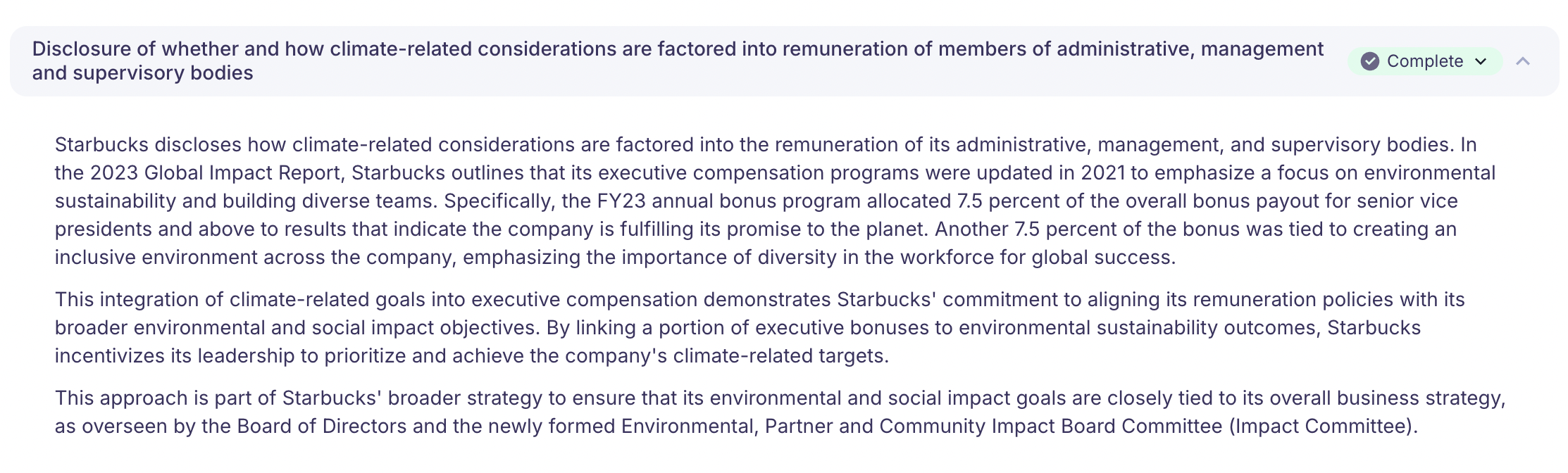
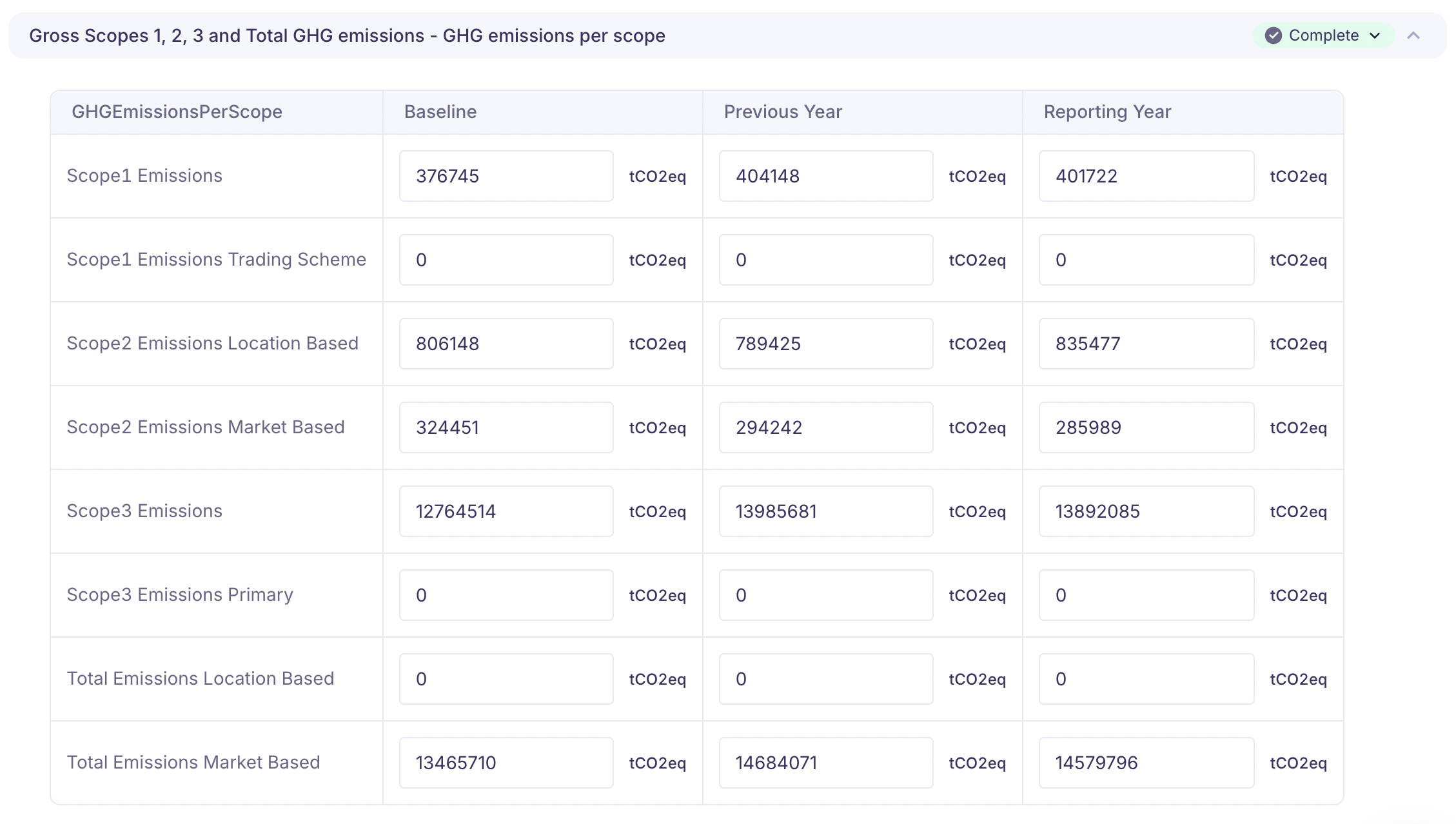
You'll encounter five types of data points:
| Type | Description |
|---|---|
| Narrative | Free-text field for qualitative descriptions, policies, and explanations. |
| Semi-narrative | Structured inputs: booleans (yes/no), single-select dropdowns, or multi-select checkboxes. |
| Numerical | An integer or decimal value, often with a specified unit (e.g., tonnes CO₂e, MWh, EUR). |
| Table | Answers organized into a predefined table structure. |
| Input group | A list of items (e.g., countries of operation) where you answer a set of questions for each item. |

Excluding data points
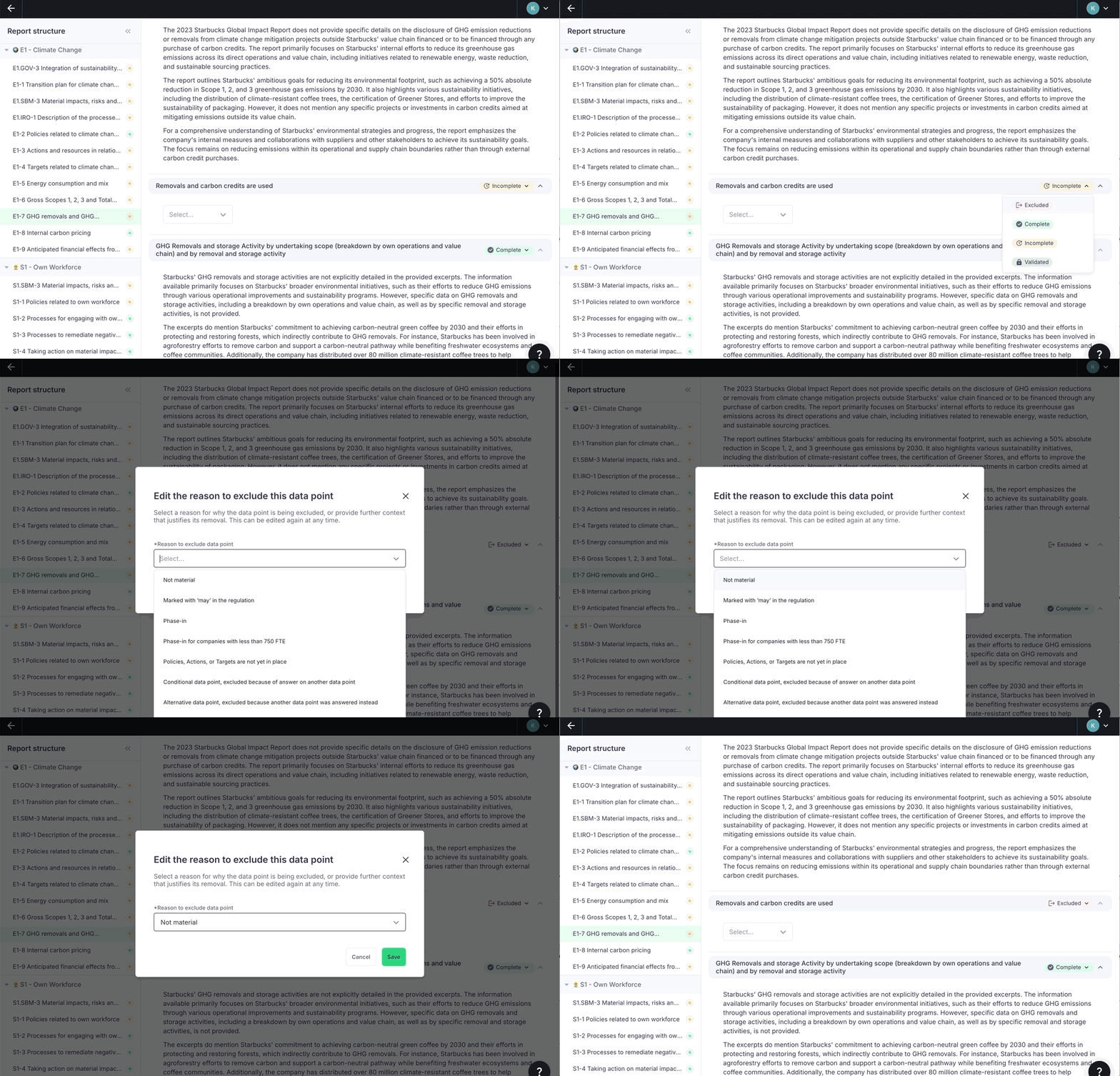
During the review, you may find data points that should not be in your report. You can set any data point's status to Excluded and select the reason. This is in addition to the scope-level exclusions configured when creating the report.
| Reason | Meaning | Answer needed? |
|---|---|---|
| Not material | DMA results show this topic is not material. | Recommended — state your materiality outcome clearly. |
| Marked with "may" | Optional per the regulation (default exclusion). | No. |
| Phase-in | Can be excluded for one or more reporting years (default exclusion). | No. |
| Phase-in for <750 FTE | Smaller companies can defer these (default exclusion). | No. |
| Policies, Actions, or Targets not in place | Your company lacks specific PAT for this topic. | Required — explain why and optionally provide a timeline (ESRS §62/§72). |
| Conditional data point | The condition stated in the regulatory text doesn't apply to your company. | Recommended — state the condition that justifies exclusion. |
| Alternative data point | You are answering another data point in this group instead. | No. |
Next steps
After reviewing, all affected answers will be regenerated. This second AI run typically produces significantly better results by incorporating your corrections and any newly assigned documents.
- Complete data points — Fill in remaining gaps and validate your answers.
- AI assistance — Use the AI assistant to regenerate individual answers or edit text.