Create a CSRD Report
Creating a CSRD/ESRS report involves three steps: configuring which data points to include, providing your materiality results, and creating the report in the platform.
Understanding data point exclusions
The CSRD includes over 1,000 data points, but not all apply to every company. Karomia applies defaults automatically and lets you adjust them. Data points fall into five exclusion categories:
- Optional — Marked "may" instead of "shall" in the ESRS regulation. Excluded by default.
- Phase-in — Can be deferred for one or more years. Some apply only to companies with fewer than 750 FTE. Excluded by default.
- Conditional — Inclusion depends on your company's context or another data point's answer (e.g., a data point about collective bargaining only applies if your workforce is covered by one).
- Alternative — Groups of data points where only one needs to be answered. Karomia preselects the most applicable option.
- PAT (Policies, Actions, Targets) — If your company has no policies, actions, or targets for a topic, you can exclude the entire disclosure requirement. You must then explain why and optionally provide a timeline (per ESRS §62 and §72).
To adjust the default exclusion settings for your report, contact Karomia via [email protected] or the in-platform support chat.
The table below shows the number of data points per ESRS topic and how many fall into each exclusion category. Note that categories overlap (e.g., some optional data points are also phase-in).
| Matter | Total | Optional | Phase-in Y1 | Phase-in Y1 <750 FTE | Conditional | Alternative | PAT |
|---|---|---|---|---|---|---|---|
| ESRS 2 General Disclosures | 139 | 12 | 1 | — | 79 | — | — |
| E1 Climate Change | 202 | 15 | 34 | 14 | 64 | 2 | 36 |
| E2 Pollution | 64 | 20 | 8 | — | 11 | 3 | 22 |
| E3 Water and Marine Resources | 45 | 18 | 4 | — | 2 | — | 28 |
| E4 Biodiversity and Ecosystems | 119 | 65 | 3 | All | 41 | — | 49 |
| E5 Circular Economy and Resource Use | 61 | 19 | 3 | — | 1 | — | 30 |
| S1 Own Workforce | 182 | 55 | 34 | All | 29 | 6 | 51 |
| S2 Workers in the Value Chain | 65 | 18 | — | All | 11 | — | 38 |
| S3 Affected Communities | 63 | 18 | — | All | 12 | — | 37 |
| S4 Consumers and End-users | 63 | 19 | — | All | 10 | — | 36 |
| G1 Business Conduct | 49 | 10 | — | — | 10 | — | 37 |
Create the report
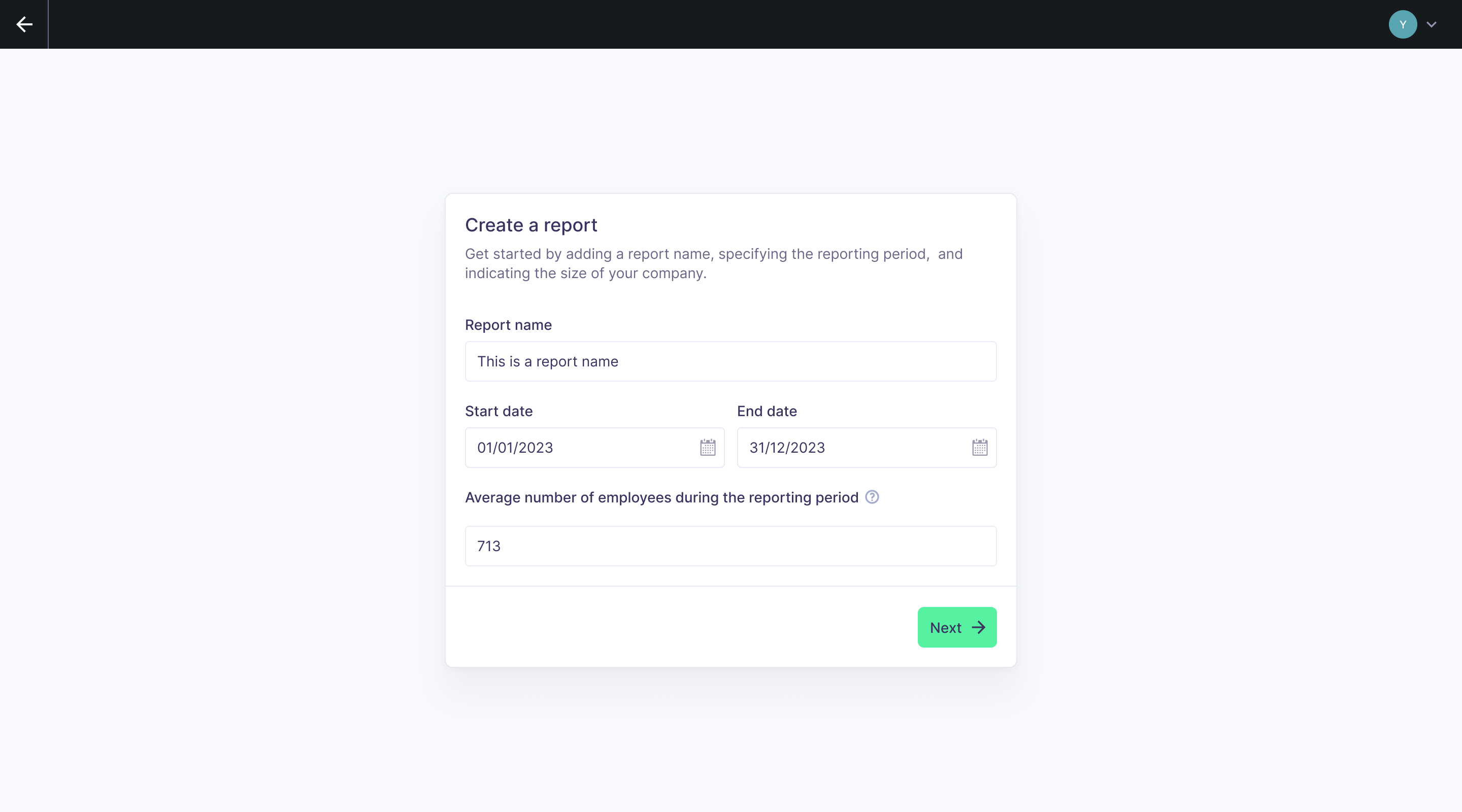
- Navigate to Reports from the main navigation.
- Click New Report.
- Fill in the report details:
- Report name (e.g., "CSRD Report 2024")
- Start date and End date
- Average number of employees during the reporting period (determines phase-in eligibility for <750 FTE)
- Click Next.
Configure materiality
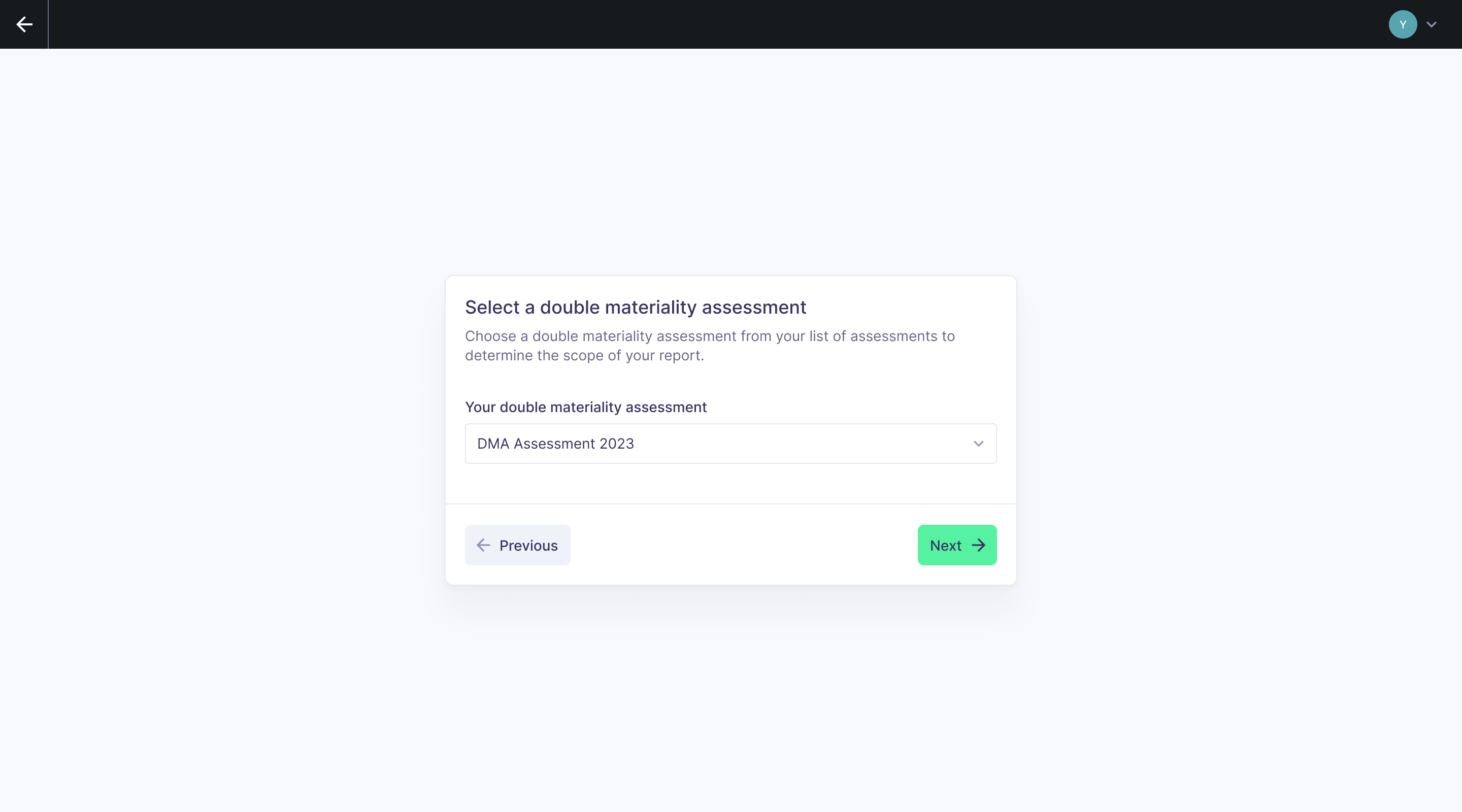
After the basic details, you choose how to supply your materiality results. This determines which topics and disclosure requirements are in scope.
Option 1: Import from a Karomia DMA
If you conducted your Double Materiality Assessment on the Karomia platform, select this option and choose the relevant assessment from the dropdown. This is the preferred path — it ensures the highest level of detail and maximizes the structured data available for AI prefill.
Option 2: Manual selection
If your DMA was conducted outside Karomia, manually select all subtopics identified as material. Browse the full ESRS subtopic list and toggle each one on or off.
What non-materiality means for scope
When a topic is not material (or financially not material), the data points included change:
| Matter | Not material | Financially not material |
|---|---|---|
| E1 Climate Change | Only include DR IRO-1 (16 data points) | Exclude DR E1-9 |
| E2 Pollution | Only include DR IRO-1 (3 data points) | Exclude DR E2-6 |
| E3 Water and Marine Resources | Only include DR IRO-1 (2 data points) | Exclude DR E3-5 |
| E4 Biodiversity and Ecosystems | Only include DR IRO-1 (11 data points) | Exclude DR E4-6 |
| E5 Circular Economy | Only include DR IRO-1 (2 data points) | Exclude DR E5-6 |
| S1–S4 Social topics | Exclude all data points | — |
| G1 Business Conduct | Exclude all data points | — |
Entity-specific disclosures
In accordance with ESRS 1, companies may need to disclose topics beyond the standard requirements. Karomia supports this via an Excel template. Contact Karomia support to request the template; it allows you to define custom topics, disclosure requirements, and data points of any type (narrative, numerical, table, etc.).
Next steps
- Upload documents — Upload the documents the AI will use to prefill your report.