Complete Data Points
After the AI run(s), some data points will still be marked Incomplete. This article covers how to identify what's missing, fill in the gaps, and finalize each data point.
Step 1: Check missing elements
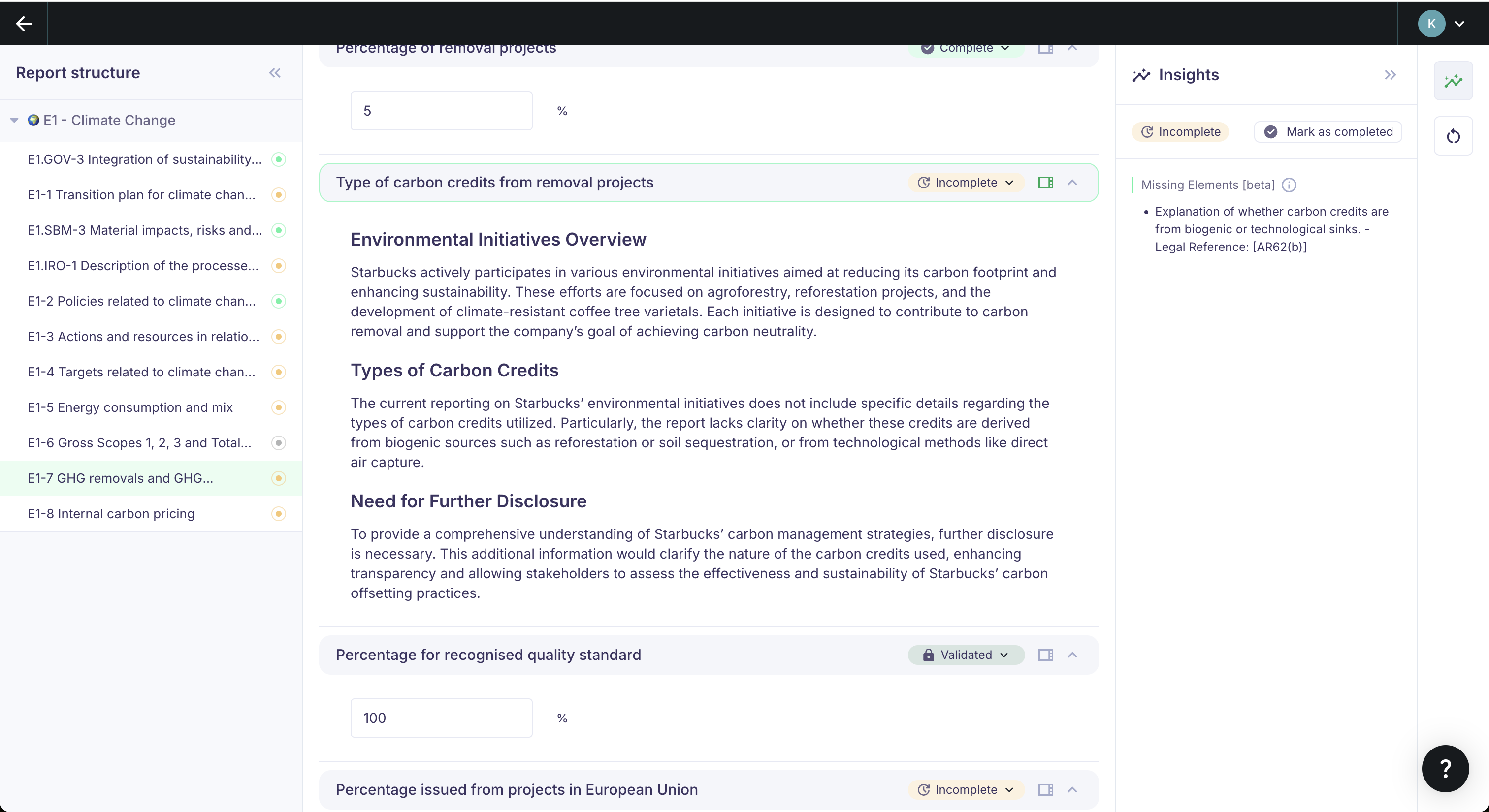
Data points flagged as Incomplete have been identified by Karomia AI as having gaps relative to the regulatory requirements.
To see exactly what's missing, click the Insights icon in the right-hand menu of a data point. This opens a list of the specific elements the current answer is missing, with reference to the regulatory requirement.
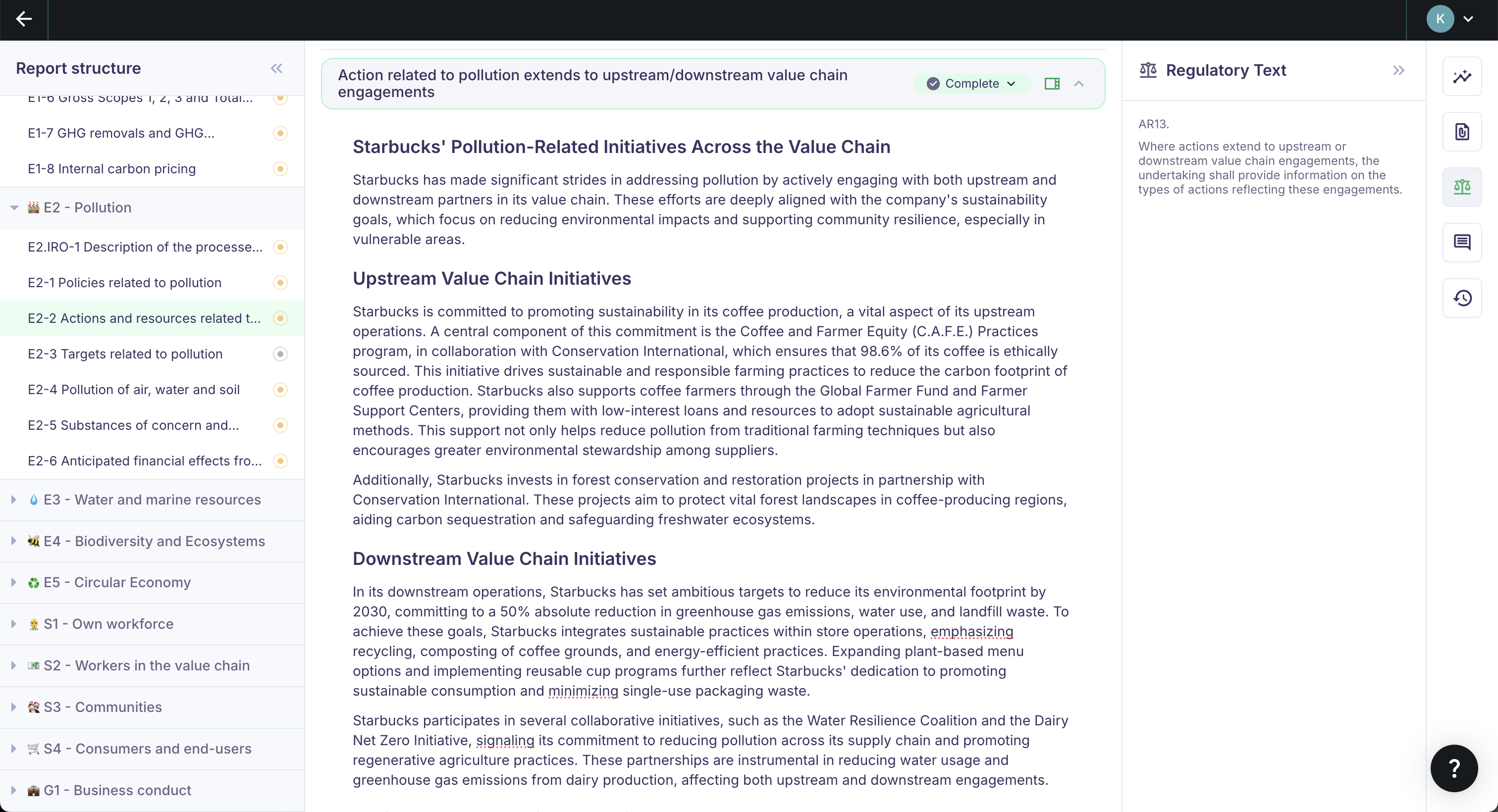
If you want to reference the original ESRS standards, click the Regulatory Text icon in the same menu. This shows the structured legal text for that data point.
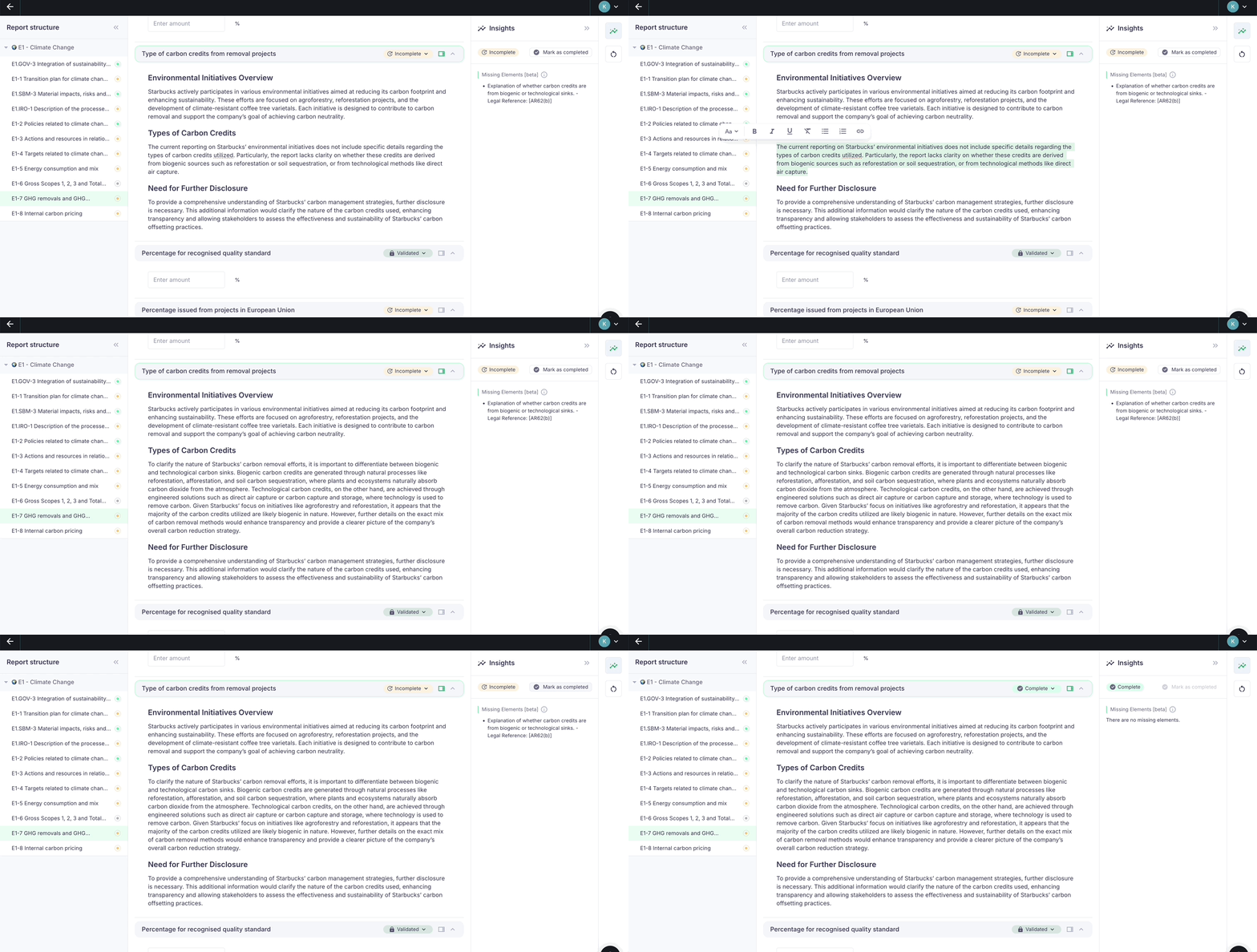
After editing an answer, you can refresh the missing elements check. Karomia AI will automatically verify whether your changes have addressed the flagged gaps.
Step 2: Edit answers
With the missing elements visible, add the required information to the data point answer. You can:
- Edit manually — Type directly in the answer field.
- Use the AI assistant — Let the assistant regenerate the answer, query your documents, or edit selected text. See AI assistance.
The AI assistant cannot perform calculations — for numerical data points (e.g., energy totals, emissions aggregates), pre-aggregate your numbers in Excel before uploading.
Step 3: Mark as complete
Once all missing elements are addressed, mark the data point as Complete.
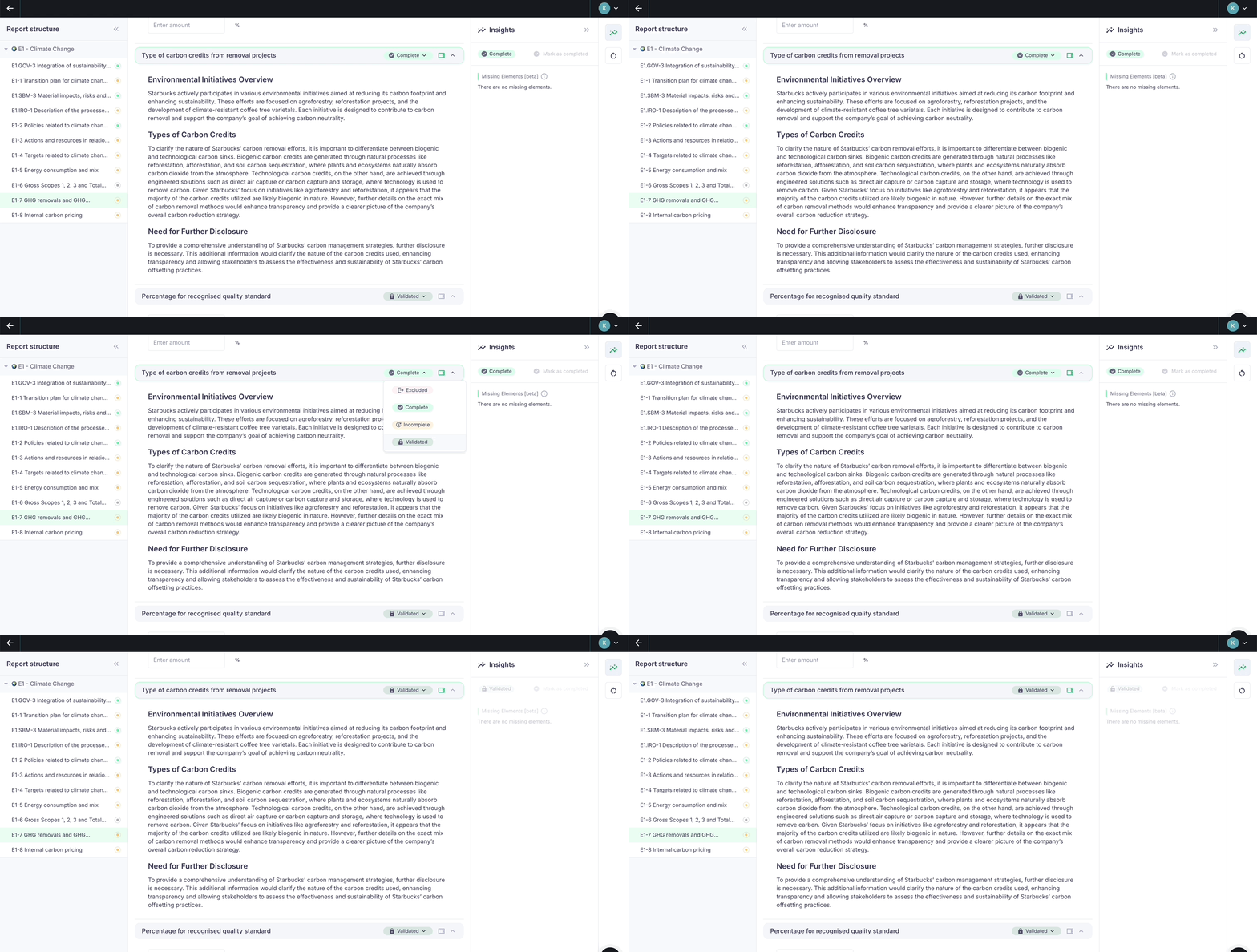
Step 4: Validate
The final step is to change the status to Validated. This is a deliberate extra step — it may be a second person validating the answer, or your own final check before closing off the data point.
Validated data points cannot be edited by the AI or any user. To re-enable editing, change the status back to Incomplete or Complete.
Once all data points within a topic are either Validated or Excluded, that topic is considered done. When all topics are done, your report is complete.
Next steps
- AI assistance — Speed up completion using the built-in AI tools.
- Collaborate — Distribute data points across your team.
- Export and publish — Generate your final report once everything is validated.