Collaborate
A CSRD report covers environmental, social, and governance topics across your entire organization. After the AI run(s), you'll need contributions from multiple people — both inside and outside your company — to complete it. Karomia's collaboration features help you distribute the work and track progress without losing context.
Step 1: Identify collaborators
For each topic, consider assigning these roles (adjust to fit your organization):
- Contributors — Provide access to company data and upload the relevant documents.
- Reviewers — Generate, review, and complete data point answers.
- Validators — Topic experts who validate finalized answers before the report is closed.
Invite collaborators via the Members page. All users currently have full access to the platform — there are no distinct permission levels yet.
Step 2: Allocate work
Assign using labels
Create custom labels that combine a collaborator's role and name (e.g., Contributor - Luc, Reviewer - Simon, Validator - Mai). Assign these labels to the relevant data points. Each person can then filter to see only the data points assigned to them.
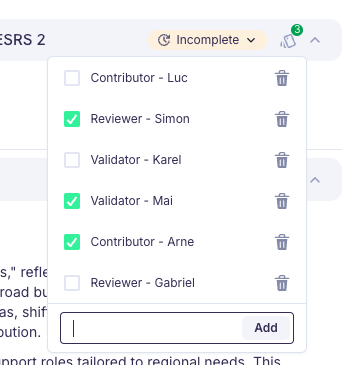
Assign tasks via comments
Use the Comments feature in the right-hand menu to assign specific tasks:
- Open the comments panel on a data point or answer section.
- Type your instruction and @mention the person:
@Jane Doe, could you provide the total 2024 energy consumption by November 15? - The mentioned person receives an email with the comment and a direct link to the data point.
Role responsibilities:
| Role | Primary task | What to do |
|---|---|---|
| Contributor | Provide documents for specific data points. | Upload required files to the Documents section and notify the reviewer via a comment. The reviewer will regenerate the data point using the new documents. |
| Reviewer | Complete all assigned data points (typically for a specific topic or DR). | Address all missing elements, then change the status to Complete. |
| Validator | Verify all completed data points are accurate. | Review completed answers, log any remaining issues as comments, and change the status to Validated once the answer is final. |
Step 3: Track progress
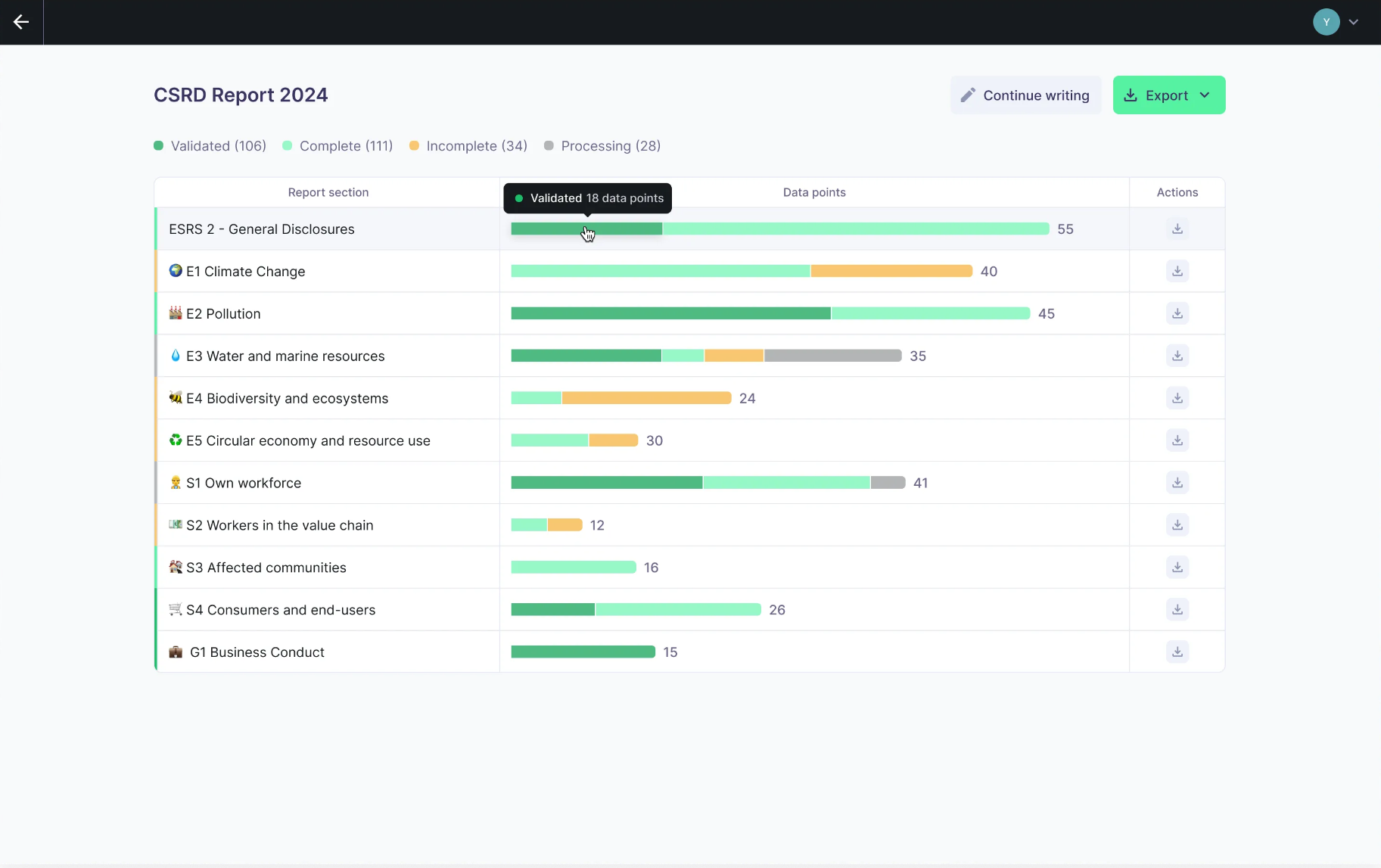
The Progress page provides a breakdown of all data points by topic and status. The goal is to move every data point to either Complete or Validated.
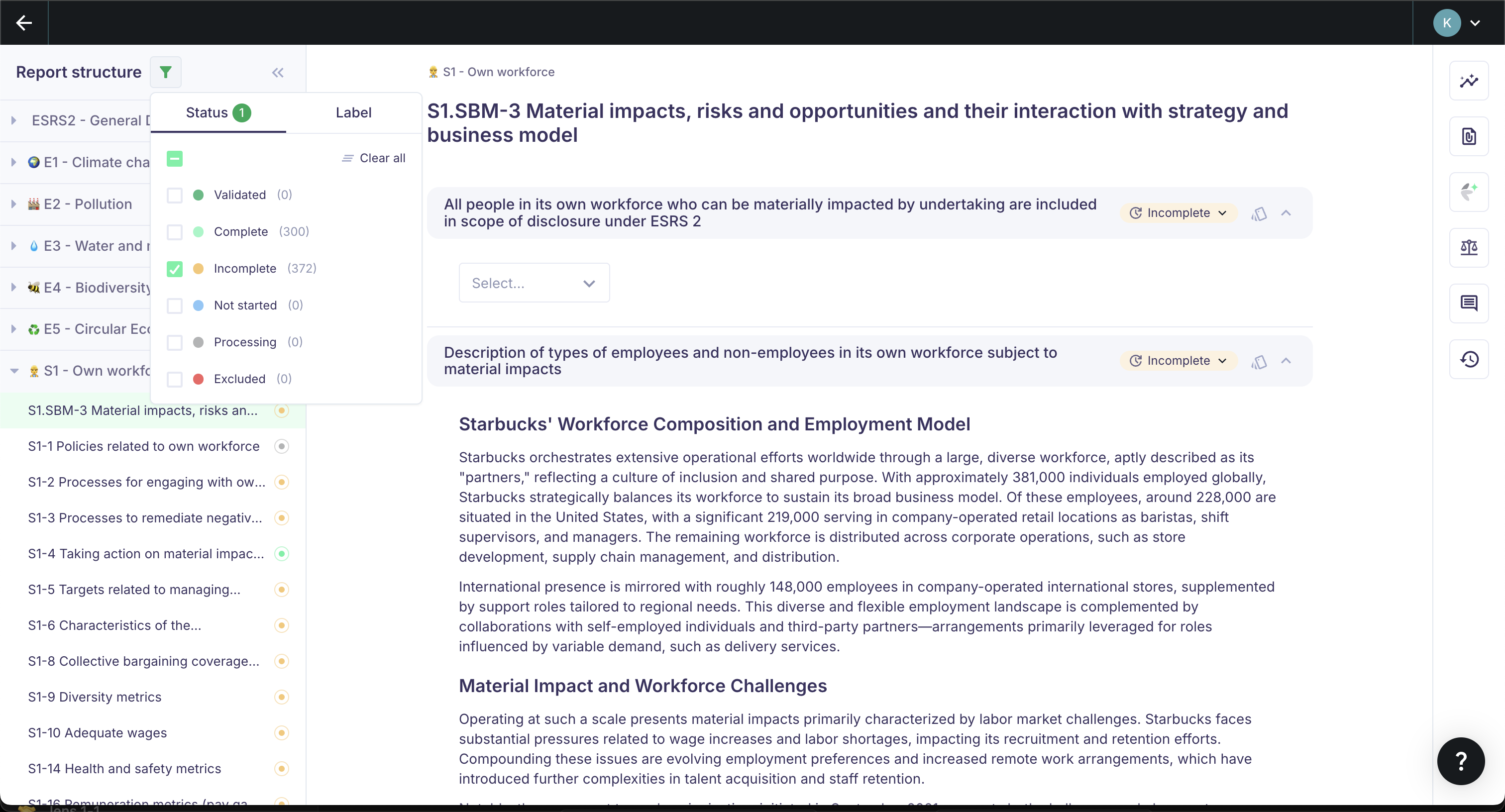
Filter data points by status to quickly identify what still needs action.
Use additional labels to track timelines or specific tasks, for example:
Update data— Marks a data point where the numerical values still need updating once finalized.2025Q1— Marks the planned completion timeframe.
Next steps
- Export and publish — Generate your final report once all data points are validated.