AI Assistance
Even after the initial AI run, manually completing all remaining data points can be time-consuming. The Karomia AI Assistant provides three tools to speed this up.
Option 1: Regenerate the answer
Regenerate a data point's answer from scratch, using updated or corrected inputs.
- Open the AI assistant panel on the data point.
- Select Regenerate answer.
- In the guided chat:
- Review the list of documents currently used for this answer.
- Remove any irrelevant documents by clicking Stop using for this answer.
- Add new documents by clicking Yes, add documents — choose from already-uploaded files or upload directly from your device.
- Add additional instructions (extra context, specific writing preferences, layout requirements).
- Submit to trigger regeneration. The data point status changes to Processing and is locked until the updated answer is ready.
Linking a document to a data point doesn't guarantee it will be used. The AI scans documents for relevant content — if none is found, the document won't affect the answer.
Option 2: Query documents and ESRS standards
The AI assistant can search through all your uploaded documents and the full ESRS standards on your behalf.
Use this when you:
- Need to find specific information hidden in your documents to address a missing element.
- Want to understand what the ESRS standards or EFRAG implementation guidance say about a particular topic or concept.
Option 3: Edit text
Available directly in the text editor — no need to open the AI assistant panel.
- Select the part of the answer you want to edit.
- Click the Karomia logo that appears.
- Choose a default prompt or write a custom one.
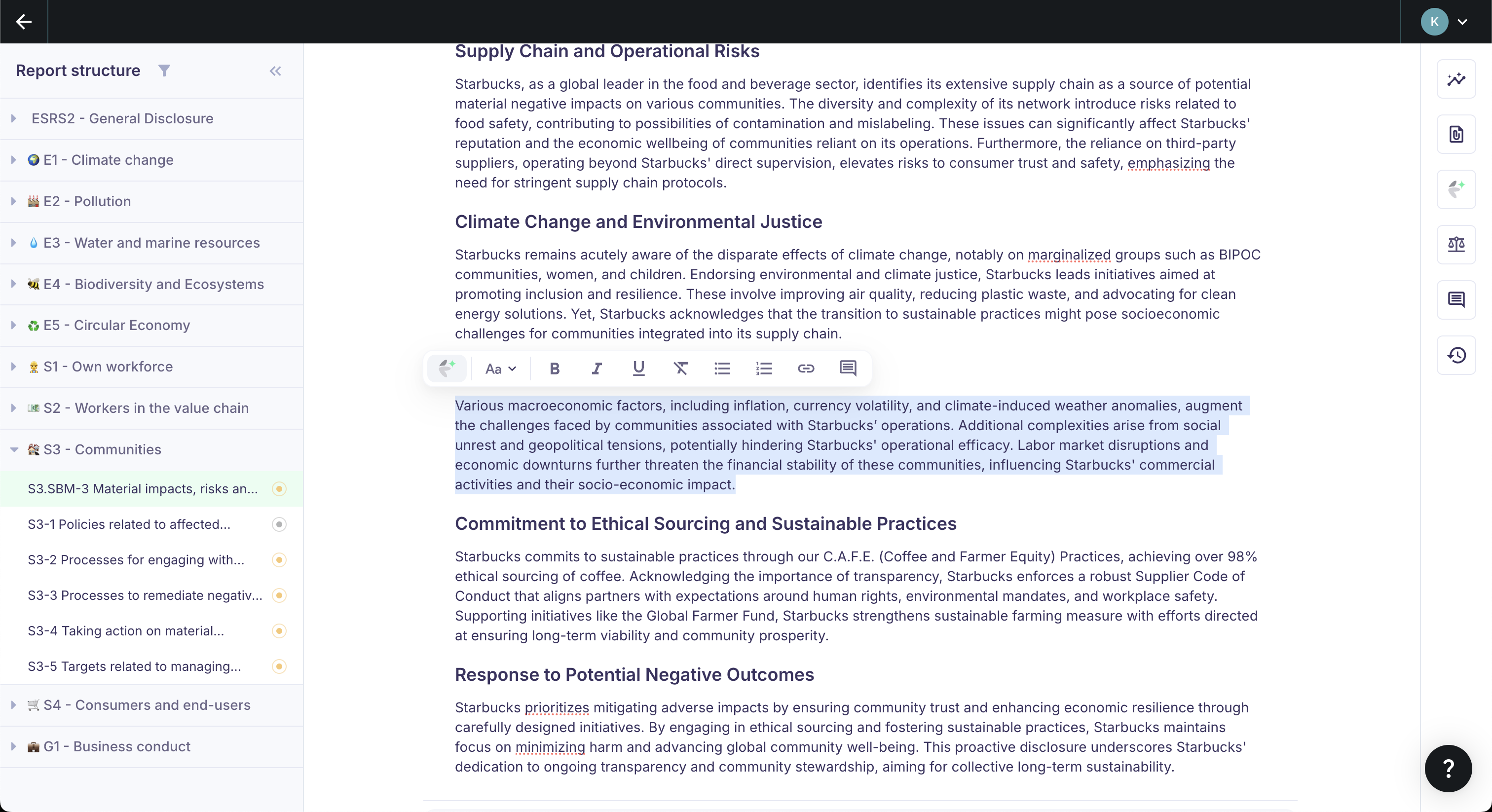
Default prompts available:
| Prompt | What it does |
|---|---|
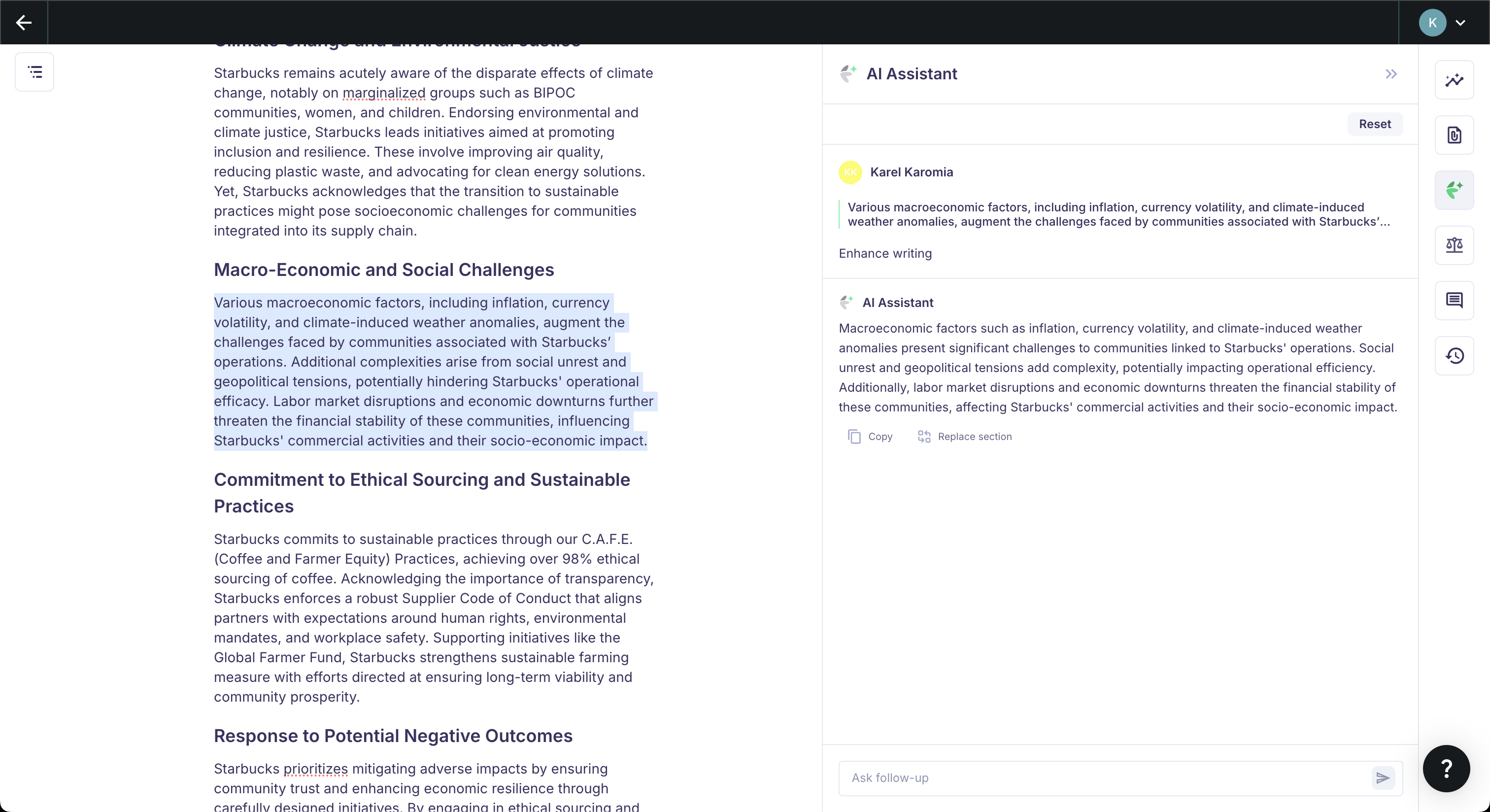
| Enhance writing | Fixes spelling and grammar, improves sentence structure, makes text more polished and professional. |
| Summarize | Shortens a long text while keeping all important content. |
| Turn into full sentences | Converts bullet points or short phrases into well-structured paragraphs. |
The AI generates a rewritten text snippet in the chat thread. You can refine it further, replace the selected text with the AI output, or copy it to your clipboard.
Next steps
- Collaborate — Distribute work across your team.
- Complete data points — Mark answers as complete and validated.