Review Materiality Results
After calculating results, review the materiality scores for each ESRS topic and subtopic. This step is where you interpret the outputs and identify which topics are material for your organization.
Materiality thresholds
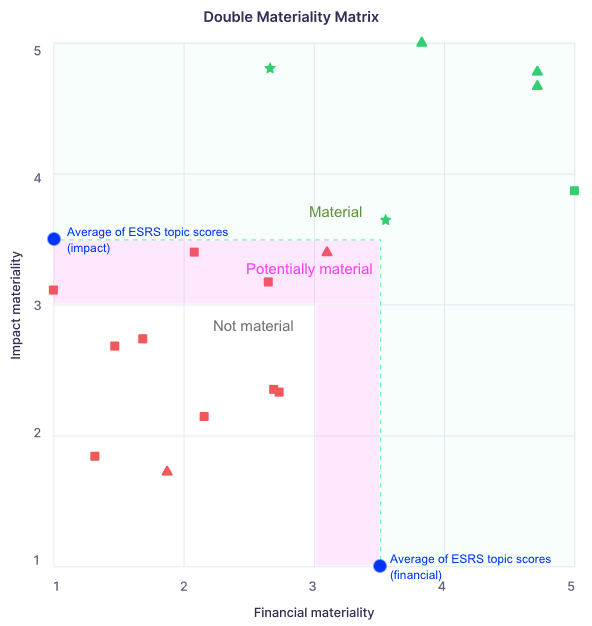
Karomia sets thresholds based on the distribution of scores across all topics in your assessment:
| Category | Threshold |
|---|---|
| Material | Score above the average of all topics |
| Undecided | Score between the average and 3.0 |
| Not material | Score below 3.0 |
The average is calculated across all topic scores. The floor is set at 3.0 — topics scoring below this are considered not material regardless of the average.
Reviewing results
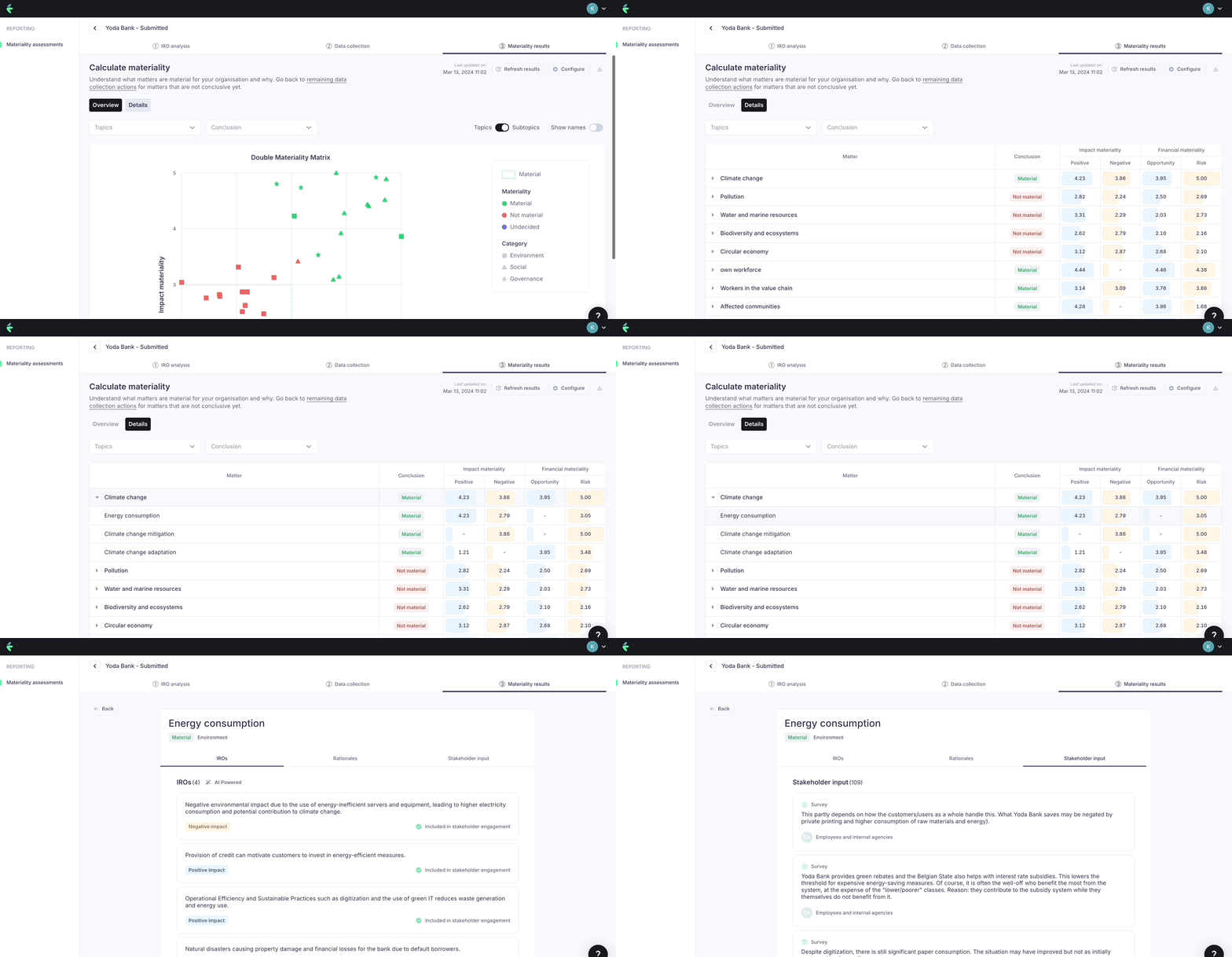
Work through results top-down — start with the highest-scoring topics and review downward. For each topic:
- Review the impact materiality score and financial materiality score separately.
- Check which stakeholder groups contributed most to the score.
- Look at the IROs that drove the topic's score.
Adjusting weights and recalculating
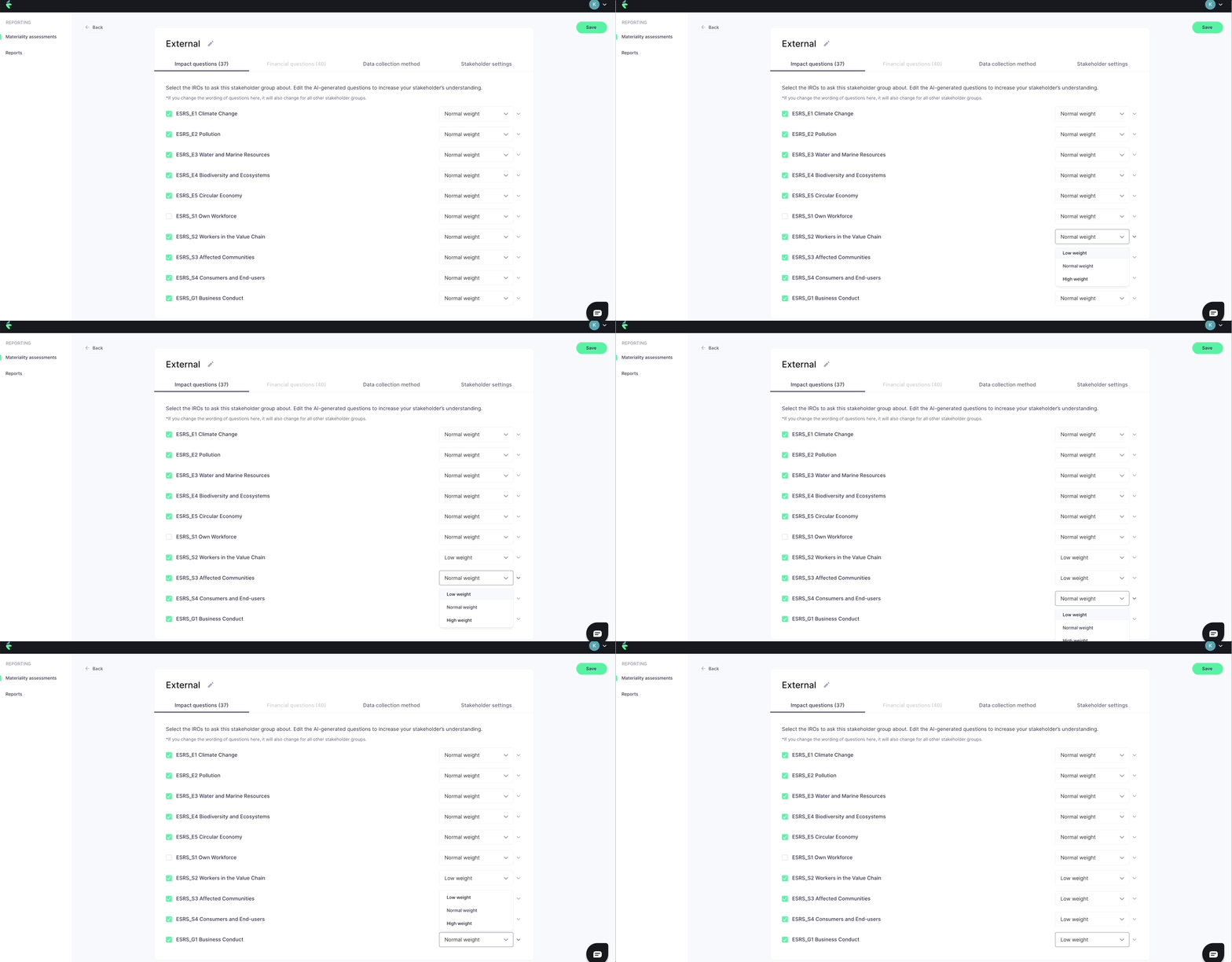
If the results surface something unexpected, you can return to the stakeholder mapping step to adjust stakeholder group weights or topic assignments, then recalculate. Document your reasoning for any adjustments.
Materiality matrix
Karomia generates a materiality matrix that plots topics by their impact materiality score against their financial materiality score. This provides a visual overview of where topics sit across the two dimensions and is a standard output in CSRD reporting.
A topic that scores high on one dimension but not the other is still relevant — CSRD requires separate consideration of impact materiality and financial materiality.