Start from a previous DMA
Reuse what you already know. Seed your new assessment with your previous DMA and get a clear view of what moved since.
Introduction
Many companies already have a DMA when they start with Karomia. If that's you, you don't need to start from scratch. You recalibrate. Your context changes from year to year, but rarely drastically, and auditors expect continuity: results that build on last cycle, with clear reasons for what changed.
Starting from a previous DMA does two things:
- Tags recurring IROs. Karomia always generates a fresh set of IROs from your current documents and context. It then matches every new IRO against the IROs of your previous assessment. A new IRO that continues a matter already in your previous DMA gets the tag Recurring, with a link to the previous wording. IROs with no counterpart are New.
- Shows what changed. Once you have results, the materiality matrix shows last cycle's positions next to this cycle's, with arrows, and a subtopic-level change view tells you where a topic became material, stopped being material or stayed where it was.
Starting from a previous DMA is being rolled out. If you do not see this step yet, ask us through the chat and we will set it up for you.
Steps
Step 1: Choose your baseline
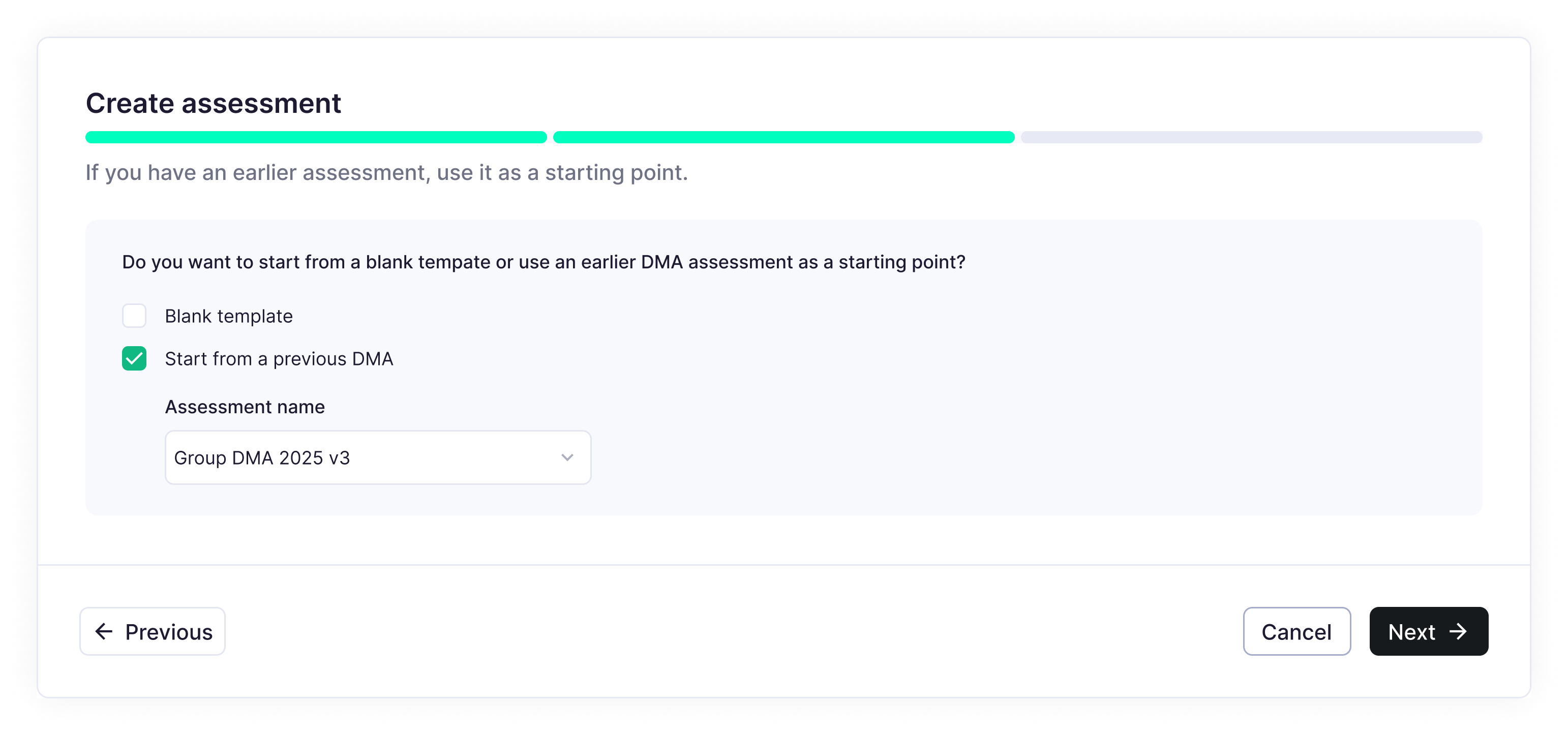
In step 2 of the creation flow, answer Yes and pick one of two baselines:
- Start from a previous Karomia DMA. Select the assessment from the list.
- Upload a DMA template file. Download the Karomia materiality upload template, fill it with your previous results and upload it. Use this when your previous DMA was done outside Karomia, for example by a consultant in Excel or in a PDF report.
Step 2: Fill in the template (external DMA only)
The template works at subtopic level and follows the updated ESRS list of sustainability matters.
- Required: for each topic and subtopic, your impact and financial scores and the rationale behind them.
- Optional: your previous IROs. Adding them improves the matching and the Recurring tags.
Previous DMAs rarely use the same structure as ESRS. A few tips from the assessments we have converted:
- If you scored at a more detailed level than the ESRS subtopic, take the highest score per subtopic.
- If you scored on another scale (1 to 3, a 0 to 100 index, percentages, euro bands), map it to 1 to 5 and write down the mapping. You will need it for your auditor.
- If your previous DMA had entity-specific topics, add them in the template. The matching will tell you where their substance sits in the ESRS structure.
- Topics you screened out before scoring stay blank. That is fine. The AI pre-assessment covers them anyway.
Not sure how to map your previous DMA? Send us the files through the chat. We have converted assessments from most of the major consultancies.
Step 3: Decide what to carry over (Karomia DMA only)
When you start from a previous Karomia assessment, you can choose to reuse its stakeholder setup:
- Stakeholder groups come back with their settings, logo and welcome message.
- Topic weights per stakeholder group come back as defaults.
- Data collection methods are reset. You enable surveys, interviews and focus groups again, group by group, for the new cycle.
Scores, IRO selection and responses are never carried over. Each cycle stands on its own data.
Step 4: Review the recurring IROs
In the IRO table a column tells you whether an IRO matches an IRO of your previous assessment. Click it to read the previous wording. The new title stands, so that the title and description always match. If a matter from your previous DMA has no counterpart, you can add it yourself from the IRO table.
Step 5: Read the change view
After stakeholder engagement, open the materiality matrix and switch on Show change. Hollow markers are last cycle, filled markers are this cycle. The subtopic change view lists each subtopic with its previous outcome, its current outcome and the direction of travel.
The materiality matrix with "Show change" on, arrows from previous to current positions, and the subtopic change table.
What to tell your auditor
A refresh is easier to defend than a new DMA, provided you can explain the differences. Keep three things ready:
- how you mapped your previous DMA to the ESRS subtopics,
- which IROs are recurring, which are new and which ones you dropped and why,
- the change view with a short explanation of the main movements.
The Recurring tag is included in your DMA report and exports.
Output
- A new assessment seeded with your previous one, so the AI generates against a known baseline.
- A Recurring or New tag on every IRO, with a link to the previous wording.
- After results, a change view showing how each subtopic moved since last cycle.
Next: Upload documents.