Assign Questions to Stakeholders
Once your stakeholder groups are defined, you assign topics and set weights that determine how each group's responses influence the materiality results.
Topic selection per stakeholder group
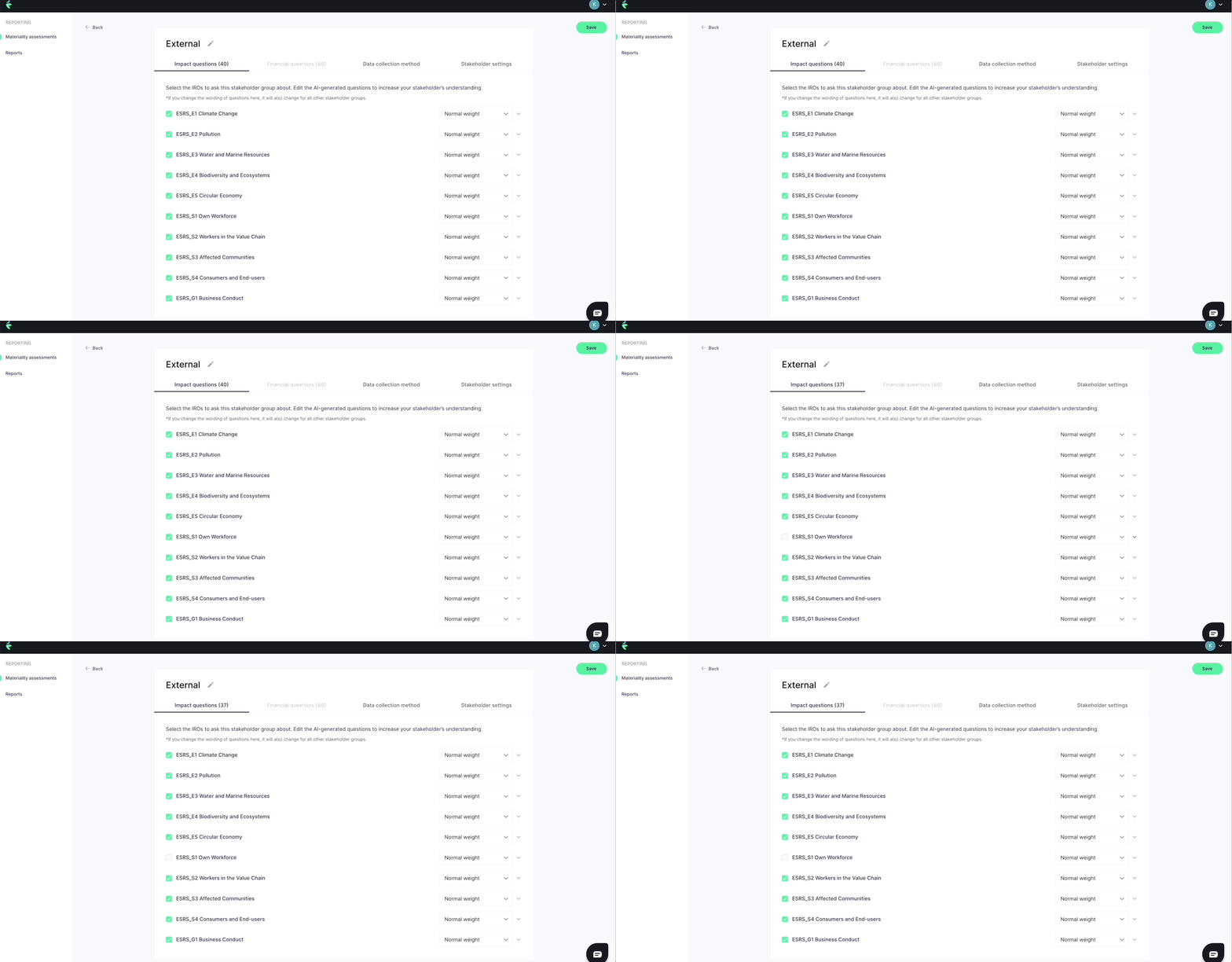
By default, all selected IRO topics are assigned to all stakeholder groups. Deselect topics that are not relevant for a particular group. For example, a group of financial analysts may not be best placed to score operational environmental impacts.
Only assign topics where the group has genuine knowledge or a relevant stake. Assigning irrelevant topics dilutes the quality of the results.
Setting stakeholder weights
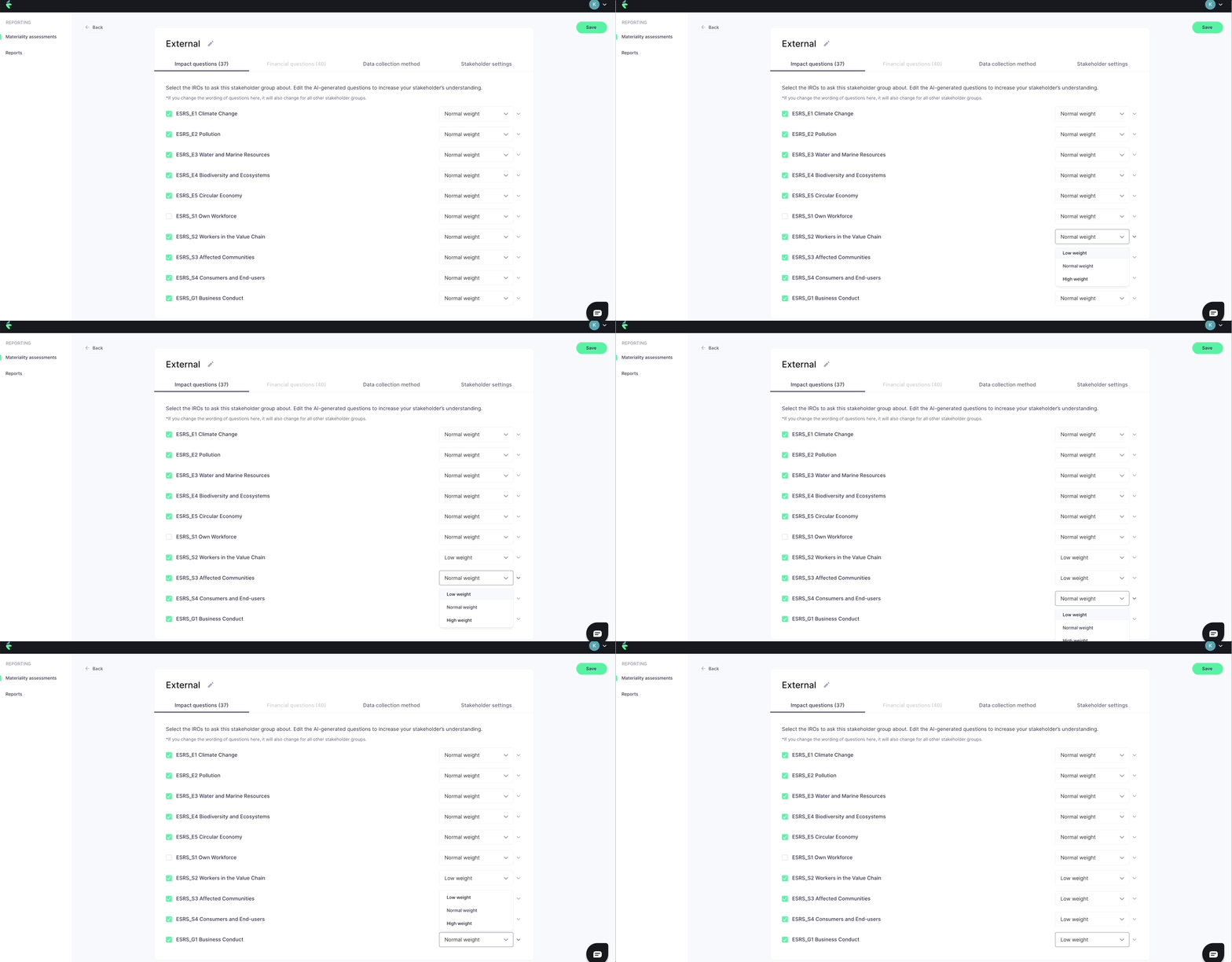
Each stakeholder group is assigned a weight that scales the influence of their responses in the final materiality calculation. The available weight levels are:
| Weight | Multiplier |
|---|---|
| Low | ×1 |
| Normal | ×3 |
| High | ×6 |
Assign higher weights to groups whose perspective is particularly important for your assessment — for example, groups most directly affected by your impacts, or groups with deep expertise in specific topics.
Fine-tuning individual questions
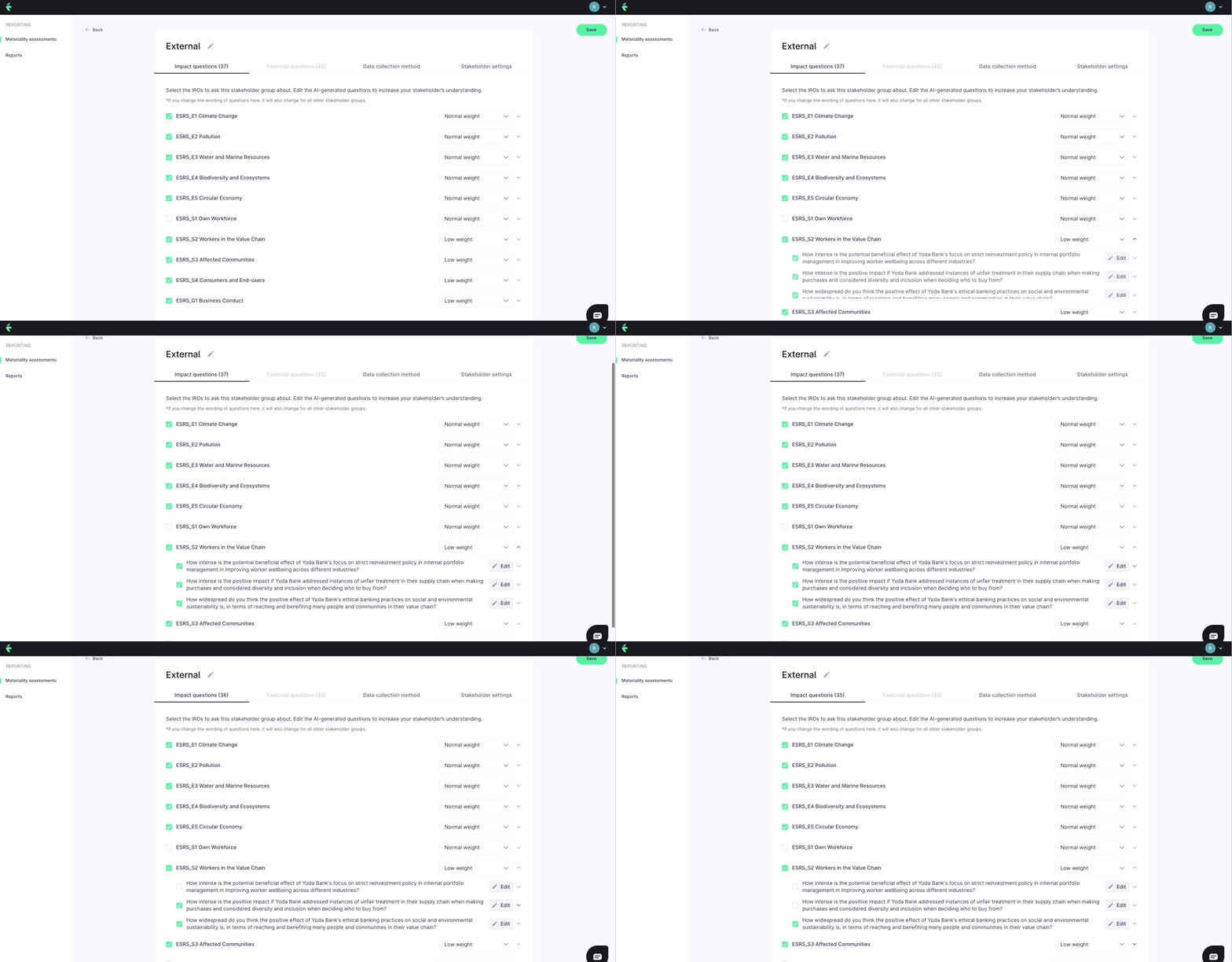
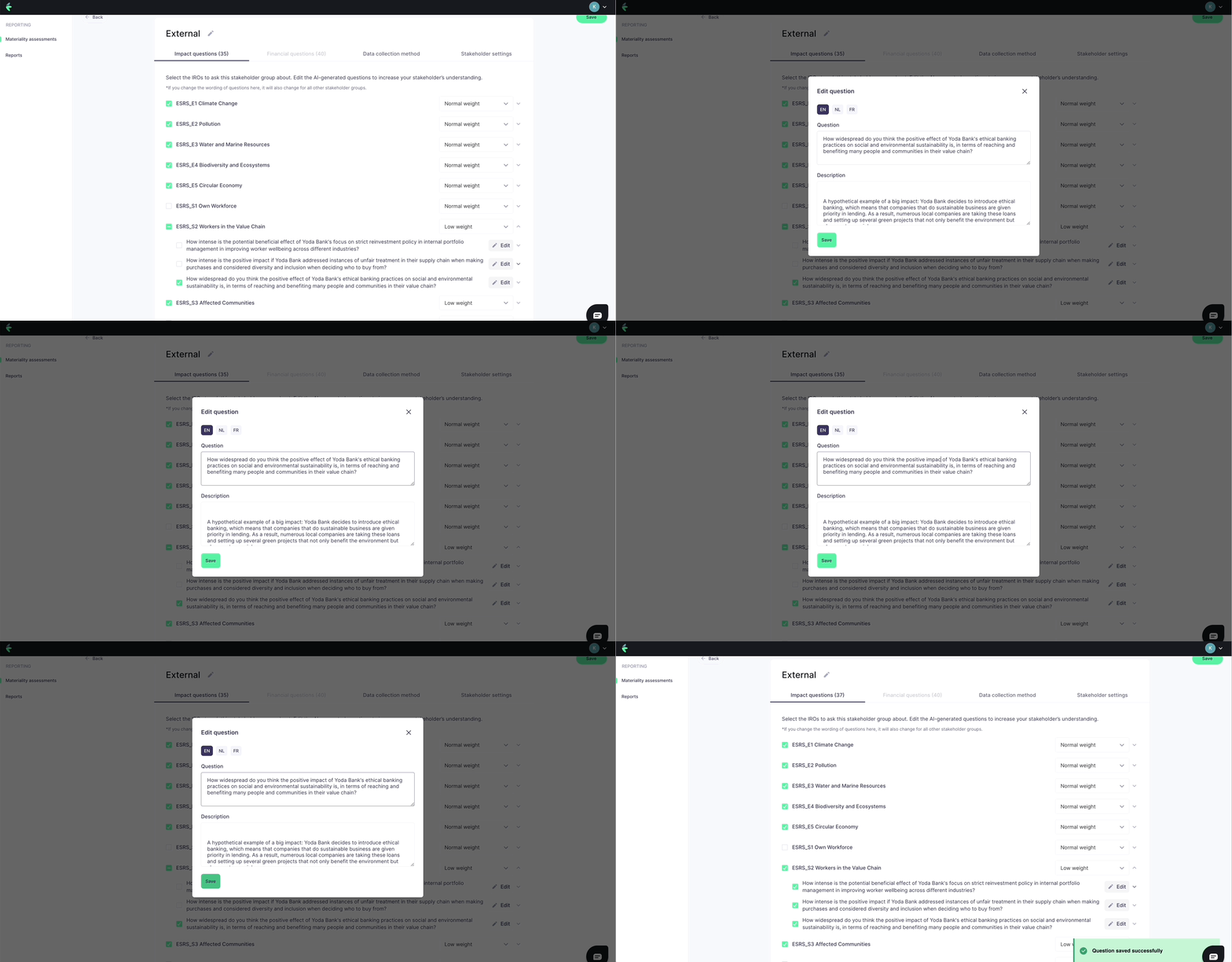
Within each stakeholder group, you can also deselect individual questions if a specific IRO is not relevant to that group, or adjust question text and translations by clicking Edit next to any question.
Weighting decisions should be documented and defensible. EFRAG methodology requires that your weighting approach be explainable as part of your DMA audit trail.